


|
Name |
VMOS PRO |
|---|---|
|
Google Play Link |
GET IT ON
Google Play
|
|
Category |
Tools |
|
Developer |
VMOS | App Cloner |
| Last version | 1.1.0 |
|
Updated |
|
|
Compatible with |
Android 5.1+ |
Introduction to VMOS Pro
Ever thought about running two separate Android systems right on the same phone without needing a second device? That's exactly the kind of power VMOS Pro brings to the table. VMOS Pro is a utility app that builds a fully independent virtual Android system inside your current smartphone. Think of it like carrying around two phones in one — but way cooler and a lot more flexible. It's a total lifesaver for anyone needing two separate app spaces, especially for handling different social media accounts, gaming, or just messing around with settings you wouldn't dare tweak on your main phone.
VMOS Pro isn't your average cloning app. It sets up a full-blown virtual machine (yes, like a mini-computer) on your device. You get a totally isolated system where you can root without voiding your actual device’s warranty, install mod-heavy apps safely, or even test apps that you’re not sure are 100% trustworthy. Since it works independently, anything risky happening in VMOS Pro won’t spill over into your main Android system.
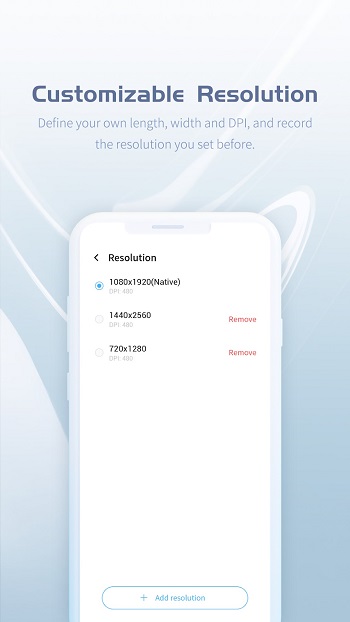
One of the biggest flexes of VMOS Pro is the insane level of customization it hands over. You’re not locked into one version of Android — you get to pick and choose. Want to run an old-school version for a nostalgia trip or a specific app requirement? Go for it. Need to tweak screen resolutions, DPI settings, or install Xposed modules? All of that is on the menu too. VMOS Pro really feels like a playground for tech heads and casual users alike who just wanna experiment without risking their real setup.
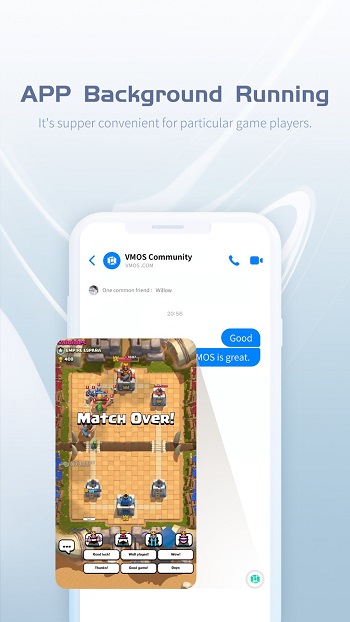
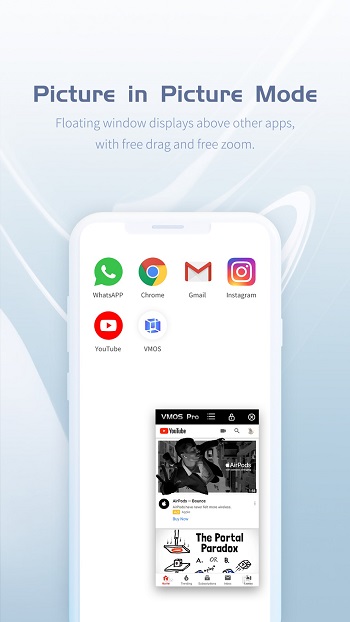
And don't even get me started on multitasking. VMOS Pro's floating windows let you literally drag apps anywhere on the screen, zoom them in and out, and keep things running in the background without crashes or disconnects. Watching a live stream, chatting with friends, and playing a game all at once? It's not only possible — it's stupidly easy.
There’s a little catch though: your device needs to be fairly beefy. We're talking about phones with more than 2GB RAM and at least 32GB storage space. If you’re rocking a potato phone from 2015, it’s probably not gonna be a vibe. VMOS Pro demands some serious horsepower because, well, it’s basically like running two phones at once. Fair trade-off if you ask me.
VMOS Pro is this ridiculously powerful pocket tool for anyone who needs double systems, double apps, or just double the freedom on one device. Whether you’re a gamer, developer, multitasking wizard, or a straight-up tech nerd, it’s a game-changer. No root risk, no data mixing, just you and a virtual Android world at your fingertips.
FAQs VMOS PRO
What is VMOS Pro?
+
VMOS Pro is a mobile app that creates a virtual Android system on your device, allowing you to run two independent environments on the same phone.
Is VMOS Pro safe to use for rooting apps?
+
Yes, VMOS Pro allows rooting inside the virtual system without affecting your actual device, keeping your main system safe and warranty intact.
What devices are compatible with VMOS Pro?
+
VMOS Pro needs an Android phone with at least 2GB of RAM, 32GB of storage, and Android 5.1 or higher to function smoothly.
Can I run games and apps in the background with VMOS Pro?
+
Absolutely! VMOS Pro supports background running for games and apps without interrupting the main system, ensuring nonstop multitasking.
Does VMOS Pro slow down your main device?
+
If your phone has high specs, VMOS Pro runs smoothly without major lag, but older or lower-spec devices might struggle with performance.
Discover More Interesting Apps
-

Theick.io
v0.4.8
29 MB
Updated -
Mod
Remote Mouse Pro
v5.306
63 MB
Updated -
Mod
TLS Tunnel
v7.2.6
27.95 Mb
Updated -
Ace Stream
v3.2.19.5
107.59 Mb
Updated -
90 FPS
v11.4
16.02 Mb
Updated -
Mod
Medix
v1.4.0
69.80 Mb
Updated -
Mod
Multi App
v2.7.0
37.47 Mb
Updated -
Sophon
v1.0.54.1
65.80 Mb
Updated -
Mod
SWAP - No ROOT
vv4.8.8
8.41 Mb
Updated -
Ultimate USB
v10.1.1
71.06 Mb
Updated










Share Your Thoughts